

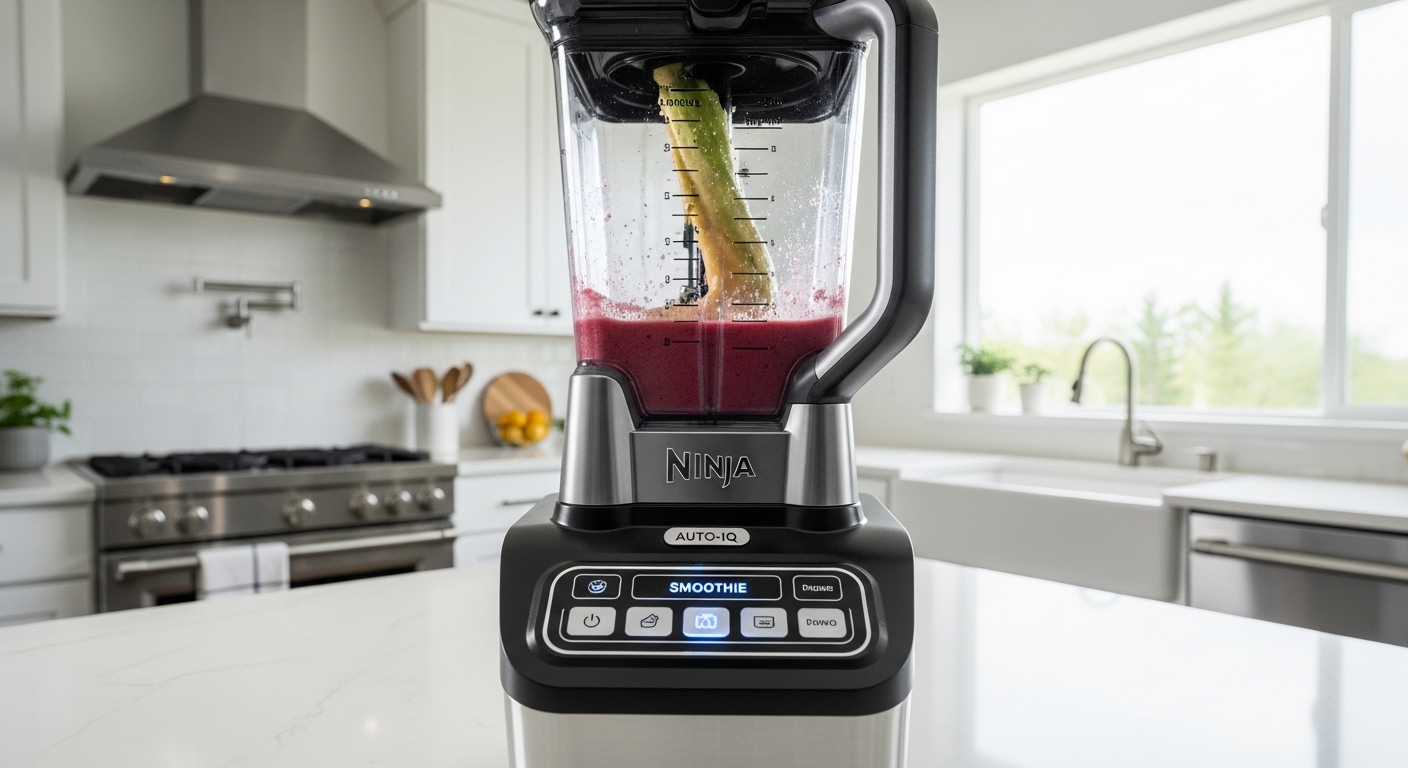
You probably opened your kitchen cabinet, stared at your Ninja blender, and thought okay fine, how to use Ninja blender Auto-IQ without pressing random buttons and hoping it doesn’t explode smoothie everywhere, right. Yeah, that exact moment where the panel looks smarter than you feel for a second. It happens more than people admit, honestly.
The thing is, Auto-IQ isn’t complicated, it just feels like it is because it does stuff for you in a way that’s kinda… invisible? Like it’s thinking in the background while you just stand there pretending you understand the blinking lights. Let’s fix that, properly.
What Auto-IQ Actually Does (Without Overexplaining It Weirdly)
So Auto-IQ is basically pre-programmed blending patterns. Instead of you holding down buttons and guessing timing like some smoothie DJ, the blender cycles through pulses, pauses, and blends on its own.
And those pauses? They’re not it being broken. It’s intentional. It lets ingredients fall back down so everything blends evenly, which sounds simple but yeah, most people don’t realize that part.
Here’s what Auto-IQ controls for you:
- Pulse timing
- Blend speed changes
- Total blending duration
- Rest intervals between spins
You press one button, and it runs a whole sequence. No babysitting. No “should I stop now?” anxiety.
The Buttons You’re Probably Side-Eyeing
Most Ninja blenders with Auto-IQ have a panel that looks like this (give or take model differences, but still):
| Button | What It Actually Does |
|---|---|
| Smoothie | Blends soft ingredients like fruits, yogurt |
| Frozen Drinks | Handles ice, frozen fruit, thicker stuff |
| Puree | Makes sauces, dips, baby food |
| Pulse | Manual bursts (you control it) |
| Start/Stop | Self-explanatory but somehow still confusing at first |
Now here’s the part people mess up a bit — they think each button is just “speed.” It’s not. Each one is a full programmed routine.
So pressing Smoothie isn’t just blending, it’s like… a mini recipe execution built into the machine.
How to Use Ninja Blender Auto-IQ Step-by-Step (Without Overthinking It)
Let’s go through it like you’re actually standing in your kitchen, slightly annoyed.
Step 1: Load Ingredients (Order Matters More Than You Think)
Yeah, you can just throw things in, but if you want smoother results:
- Liquids first (milk, water, juice)
- Soft stuff (banana, yogurt)
- Hard stuff (frozen fruit, ice)
If you do it backwards, the blades kinda struggle at first and it sounds… aggressive, not gonna lie.
Step 2: Lock the Lid Properly
This sounds obvious but Ninja blenders are picky. If the lid isn’t clicked right, nothing starts. You’ll press buttons and just stand there like why is it ignoring me.
You should hear a firm click. Not a soft maybe-click.
Step 3: Choose the Right Auto-IQ Program
This is where most hesitation happens.
- Making a smoothie? Press Smoothie
- Crushing ice drinks? Frozen Drinks
- Want something thick like hummus? Puree
Don’t overthink it. Even if it’s not perfect, Auto-IQ usually adjusts enough to still give decent results.
Step 4: Let It Run (Seriously, Don’t Interrupt)
You’ll notice it starts, stops, pulses, goes quiet, then loud again. That’s normal.
Don’t keep pressing buttons mid-cycle. That just resets it and you end up with uneven blending.
Just… let it do its thing.
Step 5: Check Consistency (Then Maybe Run Again)
Sometimes one cycle isn’t enough, especially if:
- You added too much ice
- Ingredients were uneven
- You overloaded the jar
In that case, just run the same Auto-IQ program again or use Pulse a few times.
Why Auto-IQ Feels Weird at First
There’s this moment where it pauses and you think it’s done. But it’s not. It’s thinking. Well, not thinking, but acting like it is.
People often say:
“I thought my blender stopped working, but then it started again louder than before.”
That’s literally how it’s designed.
According to product usage data from household appliance studies, automated blending systems reduce user error by about 30–40% compared to manual blending. Which sounds fancy but really just means fewer chunky smoothies and less frustration.
Common Mistakes That Make You Think It’s Not Working
You might be using it wrong without realizing it, not in a bad way just… slightly off.
Overfilling the Container
If you pack it too tight, Auto-IQ can’t circulate ingredients properly. Then you get weird half-blended layers.
Leave some space. Not too much, but enough.
Not Enough Liquid
This is the biggest one.
Blenders need movement. Without enough liquid, everything just spins awkwardly like it’s stuck in place.
A good rule: if it looks too thick before blending, it probably is.
Interrupting the Cycle
Pressing buttons mid-program resets everything. Which defeats the purpose of Auto-IQ entirely.
Let it finish. Even if it sounds dramatic.
When to Use Auto-IQ vs Manual Pulse
Sometimes Auto-IQ isn’t the best choice, and that’s fine.
Use Auto-IQ when:
- You want consistent results
- You’re making smoothies or drinks
- You don’t want to monitor blending
Use Pulse when:
- You want chunky textures
- You’re chopping, not blending
- You need quick control
It’s not about which is better, it’s about control vs convenience.
Real Example: Making a Smoothie Without Guesswork
Let’s say you’re making a basic banana strawberry smoothie.
Ingredients:
- 1 banana
- 1 cup strawberries (fresh or frozen)
- 1 cup milk
- Ice (optional)
Steps:
- Add milk first
- Add banana and strawberries
- Add ice on top
- Close lid properly
- Press Smoothie
Then… just wait.
It’ll pulse, blend, pause, then go again. After about a minute or so, it stops.
Open it, pour, done. No guessing, no checking every five seconds.
A Slightly Odd But True Tip
If your blender sounds like it’s struggling, don’t panic immediately. Sometimes it just needs a quick shake (with the power off, obviously). Ingredients can get stuck in air pockets, especially with frozen stuff.
It’s one of those things people don’t say but everyone ends up doing anyway.
Cleaning After Using Auto-IQ (Because You’ll Avoid It Otherwise)
Cleaning feels like the worst part, yeah.
But here’s the easiest way:
- Fill halfway with warm water
- Add a drop of dish soap
- Run Pulse for 10–15 seconds
- Rinse
That’s it. You don’t need to scrub aggressively unless something really sticky happened.
Is Auto-IQ Actually Worth Using?
Short answer, yeah, more than you think.
Longer answer, it removes decision fatigue. You don’t have to think about timing, speed, or consistency every time you blend something.
And weirdly, once you trust it, you stop hovering over the blender like it might betray you.
Final Thoughts That Feel Less Like a Conclusion
If you’ve been unsure how to use Ninja blender Auto-IQ, it’s not because it’s complicated, it’s just because it doesn’t explain itself very loudly. It’s doing a lot quietly, and you’re expected to just… trust the process.
Which is a bit annoying at first, but also kinda nice once you get used to it.
After a few uses, you’ll stop second-guessing the buttons. You’ll press one, walk away, come back, and it’s just done. No drama. No guessing.
And yeah, maybe the first couple times feel slightly chaotic, like you’re letting a machine make decisions for you. But then again, that’s kinda the whole point of Auto-IQ, isn’t it.

Jamesmathew is an expert Amazon affiliate writer, helping readers discover top products, smart deals, and practical buying guides through honest reviews and insightful content.