

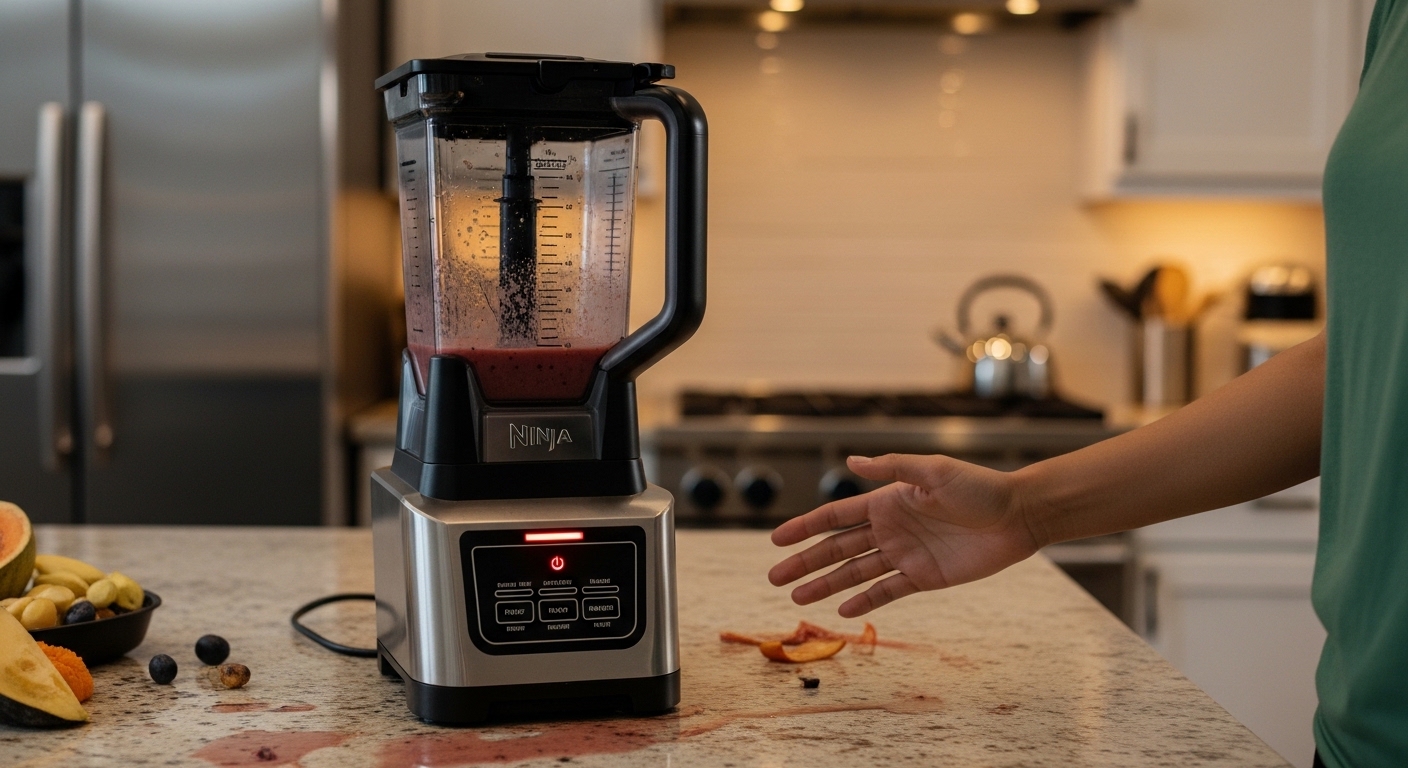
You’re staring at your kitchen counter thinking why is my ninja blender blinking like it’s got some kind of attitude today, and yeah, it kinda feels personal even though it isn’t. One second you just wanted a smoothie, next second the thing is flashing lights like a tiny confused robot refusing to cooperate, and now you’re just there pressing buttons again and again like that’ll fix it magically.
Blenders don’t blink for fun, even if it feels like they do sometimes. That blinking is actually your Ninja blender’s way of saying “hey, something’s not right here,” but it doesn’t exactly explain itself, which is… mildly annoying if we’re being honest.
What Does It Mean When Your Ninja Blender Is Blinking
When your Ninja blender starts blinking, it’s not broken in most cases, it’s more like it’s refusing to run because something isn’t set up properly. Think of it as a safety pause rather than a failure, though it doesn’t feel that polite when you’re in a rush.
Here’s the thing: Ninja blenders are designed with built-in safety systems. If something isn’t aligned, locked, or connected the way it should be, the blender simply won’t start. Instead, it blinks at you like it’s waiting for you to figure it out.
Common reasons include:
- Lid not properly locked
- Pitcher not aligned on the base
- Overheating from extended use
- Loose or misaligned blades
- Electrical or internal sensor issues
According to appliance safety data from the U.S. Consumer Product Safety Commission, modern kitchen devices often include auto-shutoff and lock detection systems to prevent accidents, which explains why your blender acts like it’s being overly cautious sometimes.
The Most Common Reason: Lid Isn’t Locked (Yeah, It Happens A Lot)
Honestly, this is the one that catches people the most. You think the lid is on properly, but it’s just slightly off. Not visibly wrong, just… not right enough.
If the lid isn’t locked into place, your Ninja blender will blink instead of running. It’s basically saying “I’m not spinning blades with that situation, no thanks.”
How to Fix It
- Remove the lid completely
- Place it back carefully
- Press down until you hear or feel a click
- Make sure any locking handle is fully engaged
Sometimes it takes a bit more force than you expect, which feels odd but is normal.
Pitcher Placement Issues (The Sneaky One)
Another very common answer to why is my ninja blender blinking is that the pitcher isn’t seated correctly on the base. It might look fine, sitting there like it belongs, but internally the connection isn’t registering.
Signs This Is the Problem
- Blender blinks immediately when turned on
- Buttons don’t respond
- No motor sound at all
Fix It Like This
- Lift the pitcher off
- Check the bottom for debris or misalignment
- Place it back, rotating slightly until it locks
- Ensure it sits flat and stable
It’s weird how something that looks “fine” can still be wrong, but that’s kinda how these appliances are.
Overheating: Your Blender Needs a Break (Yes Really)
If you’ve been blending thick mixtures, frozen stuff, or running it for a while, your Ninja blender might blink because it’s overheated. That blinking is basically a cooldown signal.
Blenders, especially high-powered ones like Ninja models, generate a lot of heat. According to engineering data on small motors, continuous operation under heavy load can cause internal temperatures to rise quickly, triggering safety shutoffs.
What to Do
- Turn it off completely
- Unplug it
- Let it rest for 15–30 minutes
- Avoid immediately restarting
You might feel like it should handle more, but even strong appliances have limits, even if they don’t warn you ahead of time.
Blade Assembly Problems (A Bit More Serious, But Fixable)
Sometimes the issue isn’t obvious from the outside. If the blade assembly isn’t properly attached or is slightly loose, the blender won’t run.
This is especially common after cleaning, when you put everything back together just slightly off.
Check for This
- Blades not fully inserted
- Assembly tilted or uneven
- Difficulty closing the lid properly
Fix Steps
- Remove the blade assembly carefully
- Reinsert it straight and firmly
- Ensure it locks into position
Be careful here, obviously, because those blades are no joke.
Electrical Glitches (Rare, But Happens)
Now and then, the blinking isn’t about alignment or heat, it’s just an electrical hiccup. Maybe a power fluctuation, maybe a sensor misread, maybe just one of those random appliance moods.
Try This Quick Reset
- Unplug the blender
- Wait about 2–5 minutes
- Plug it back in
- Try again
It sounds too simple, but it works more often than you’d think.
What Different Blinking Patterns Might Mean
Not all blinking is the same, though Ninja doesn’t always make it super clear. Still, users have noticed patterns across different models.
| Blinking Behavior | Likely Meaning |
|---|---|
| Constant blinking | Lid or pitcher not locked |
| Blinking after use | Overheating |
| Flashing + no response | Sensor or alignment issue |
| Intermittent blinking | Electrical inconsistency |
It’s not an exact science, but it gives you a starting point instead of guessing blindly.
Real User Frustration (You’re Not Alone in This)
A lot of people run into this exact issue, and the reactions are… pretty relatable.
“I thought my blender broke after two weeks, turns out the lid wasn’t clicked in properly. Felt dumb but also relieved.”
“Mine kept blinking until I realized the pitcher wasn’t aligned. It looked fine but wasn’t.”
These aren’t rare experiences. In fact, appliance troubleshooting forums show that alignment issues are among the top causes of “non-working” blenders, even though nothing is actually broken.
How to Prevent Your Ninja Blender From Blinking Again
You can’t completely avoid it forever, but you can reduce the chances a lot.
Simple Prevention Tips
- Always double-check the lid before starting
- Don’t overload the pitcher
- Let it cool between heavy uses
- Clean and reassemble carefully
- Place it on a flat, stable surface
These sound basic, but skipping even one can lead to that blinking situation again, which you already know is annoying.
When It Might Actually Be a Real Problem
Most blinking issues are harmless and fixable in seconds, but occasionally it’s something deeper.
Watch for These Signs
- Blender blinks even when everything is properly aligned
- Burning smell or unusual noise
- Doesn’t respond after multiple resets
- Stops mid-use repeatedly
If you’re seeing those, then yeah, it might not just be a setup issue anymore.
At that point, checking the warranty or contacting support is probably the better move instead of trying to force it to work.
A Slightly Unexpected Truth About Smart Appliances
Here’s something people don’t always realize: the more “advanced” an appliance is, the more likely it is to refuse to work over small things. Older blenders would just run no matter what, which wasn’t always safe.
Modern ones, like Ninja blenders, are designed to stop themselves from running under imperfect conditions. It’s safer, but also more frustrating when you just want your drink and not a mini troubleshooting session.
Quick Troubleshooting Checklist (So You Don’t Overthink It)
If your Ninja blender is blinking, just run through this quickly before doing anything else:
- Is the lid fully locked?
- Is the pitcher seated correctly?
- Has it overheated?
- Are the blades aligned properly?
- Have you tried unplugging and resetting it?
Most of the time, one of these fixes it in under a minute, even though it doesn’t feel like it will at first.
Final Thoughts That Might Save You Some Stress Later
That blinking light isn’t your blender giving up on life, it’s just refusing to cooperate until things are set right, which is annoying but also kinda fair. You’re not doing anything unusually wrong, this happens to a lot of people, probably more than you’d expect.
Next time it happens, you’ll likely fix it faster, maybe even without thinking too much, just a quick lid check, a slight twist, and suddenly it’s working again like nothing ever happened. It’s one of those small kitchen frustrations that feels bigger in the moment than it actually is, but yeah, still irritating while it lasts.

Jamesmathew is an expert Amazon affiliate writer, helping readers discover top products, smart deals, and practical buying guides through honest reviews and insightful content.